The piggybank, grown up — and powered by AI.
UTMA, 529, Roth IRA, brokerage, savings — from any of 12,000+ institutions, in one dashboard built for them to explore and understand.
Not another tool for parents to manage. A window for kids to own.
Connects to your existing accounts
Read-only by design — we connect securely on your behalf and can never trade or move money.
How It Works
Set it up once. Their device, forever.
No app store. No password for your kid to remember. Works on any phone, tablet, or TV they already own.
Connect your accounts
Link your brokerage in minutes — Schwab, Fidelity, Vanguard, or anywhere else your family's money lives. Takes about 90 seconds.
Pair your kid's device
You generate a 6-digit code from your parent dashboard. Your kid enters it once on their phone, tablet, or TV. That's it. Done.
They explore on their own
Their dashboard lives on their device — no password, no login, no asking you to unlock your phone. They check in whenever they want.
Ownership they can actually feel
Numbers alone don't inspire kids. Claude AI rewrites what they own into stories pitched at their exact age — same Apple shares, different words for a 6-year-old vs. a teen.
“Apple is the company that makes your iPhone, your AirPods, and the iPad you watch shows on. Every time someone in the world buys one, you get a tiny slice of it — like a thank-you note from the company. You own three of those slices, which means you're a real owner of Apple, just like the grown-ups on the news.”
 Meet Penny
Your kid's personal money mentor
Penny lives in the corner of the dashboard and answers any money question — in language that actually makes sense for the age. No jargon. No judgment. No wrong questions.
Age-smart answers
Penny adjusts her vocabulary and examples automatically — a 7-year-old gets a different answer than a 14-year-old, even if they ask the exact same question.
Dashboard Preview
Every kid's accounts, in one place
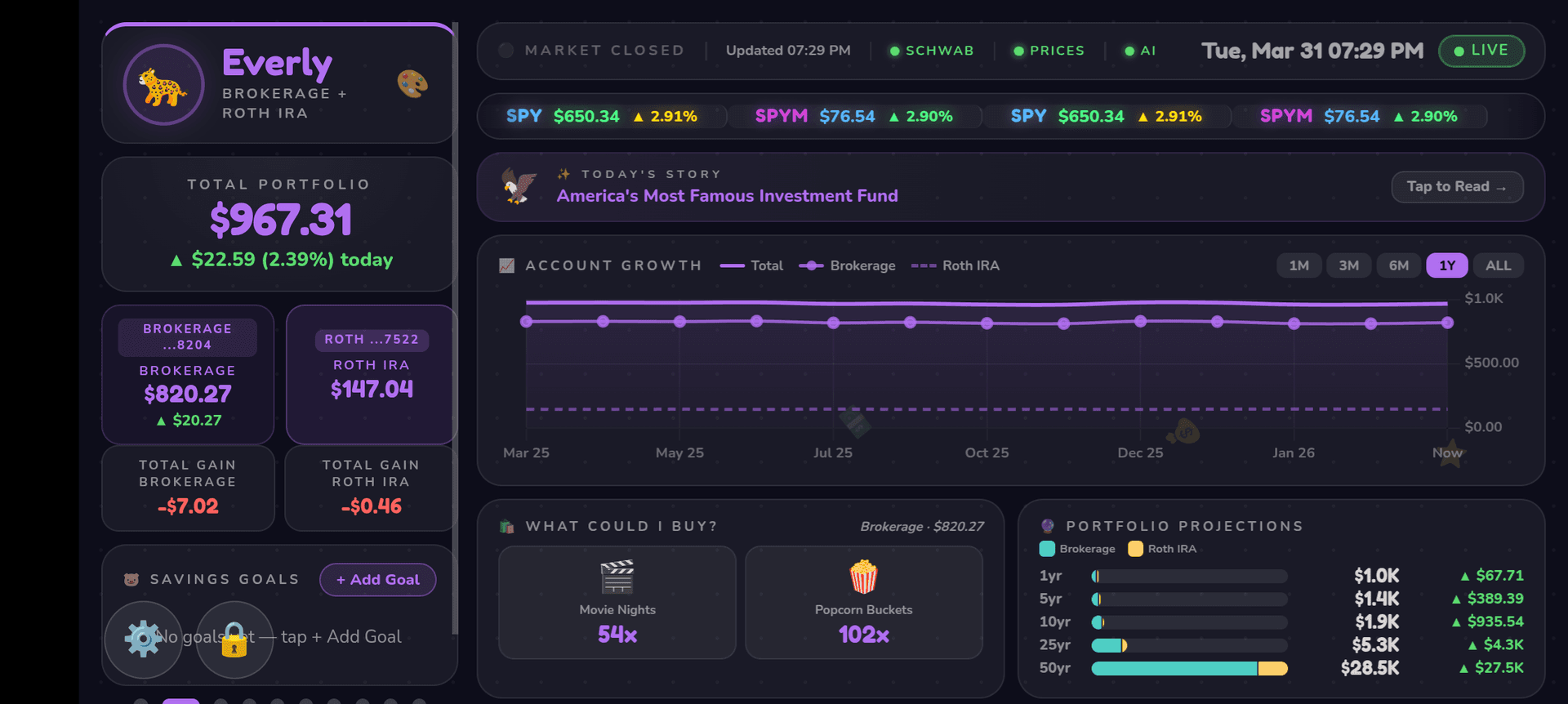
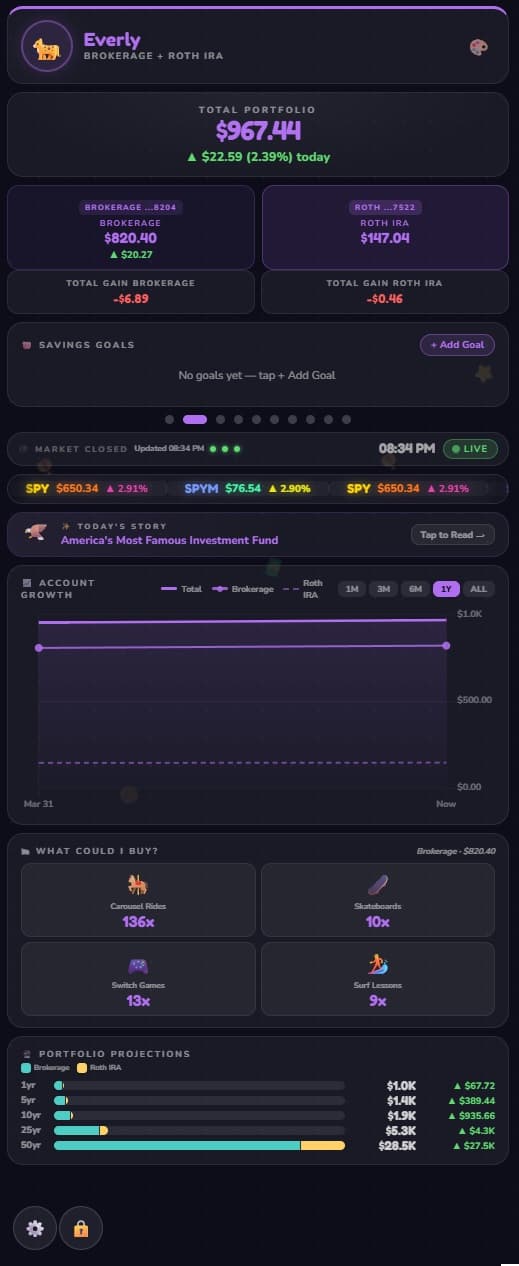
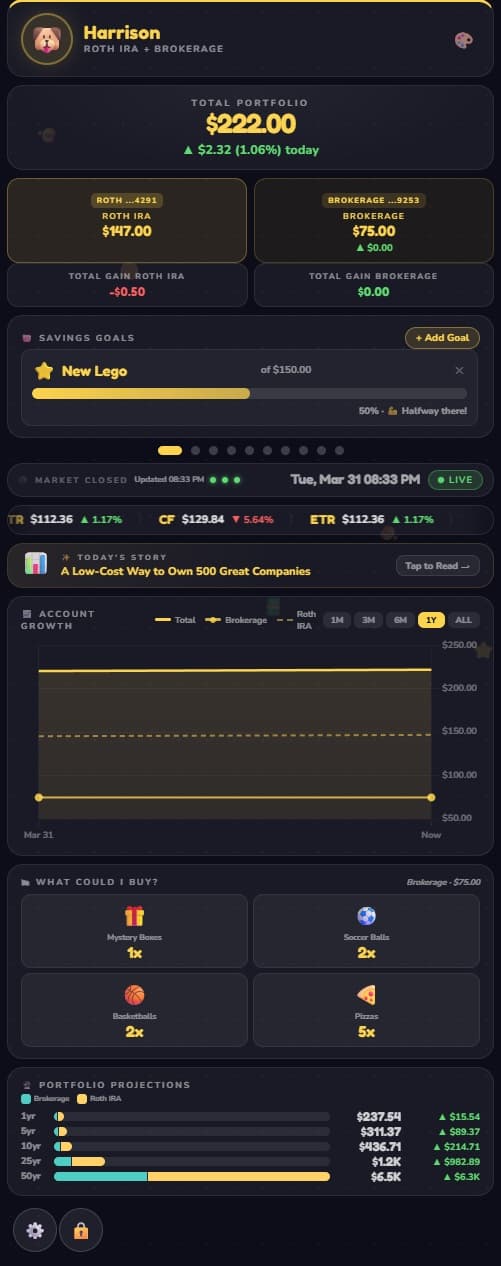
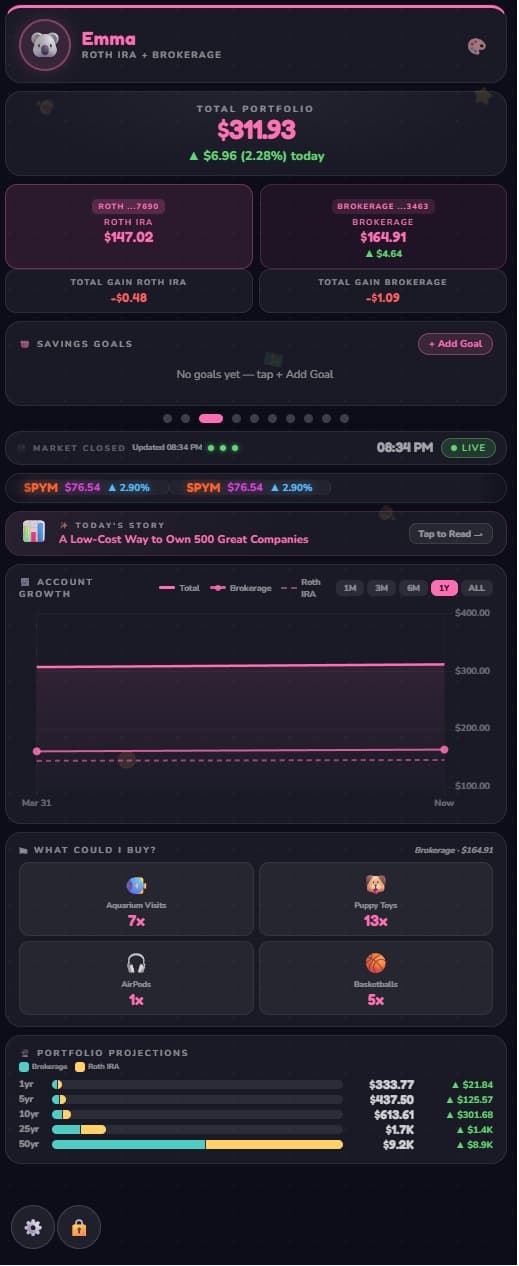
Each child gets their own personalized view — all their accounts from every institution, built for them to explore.
Total Balance
Real-time value
Growth Chart
Visual history
AI Insights
Kid-friendly context
Savings Goals
Auto-tracked progress
Features
Your kid's financial life doesn't live in one place. Now it does.
The only dashboard built for the kid who owns the accounts — not just the parent who opened them.
Any Account, Any Institution
UTMA, Roth IRA, 529, brokerage, savings — from Schwab, Fidelity, Vanguard, or anywhere else. One kid-friendly view for all of it. No brokerage lock-in.
The Dashboard Your Kid Actually Opens
Not a portal for parents to manage. A dashboard built for kids — fun, visual, and designed for a 10-year-old to understand instantly.
AI That Makes Ownership Real
"You own 3 shares of Apple" becomes a story they want to tell their friends. AI explains what companies do in language kids actually get.
Watch It Grow
Beautiful charts show portfolio growth over time — across every account, every institution. History that builds confidence.
Goals Connected to Real Money
Set a goal for a bike or LEGO set. Watch it fill automatically as their real balance grows. Not a pretend game — real accounts, real progress.
Their Device. No Password Required.
Pair any phone, tablet, or TV with one 6-digit code. Their dashboard lives there permanently — no login, no parent required. Self-driven, on their own time.
Picture Frame When Idle. Piggybank When Touched.
Mount any iPad, tablet, or Fire Stick. When idle, MemoryBank cross-fades through your Google Photos — or a built-in screensaver if you'd rather not connect. Tap it and your kid's dashboard is right there.
Co-Parents & Grandparents Welcome
Invite the other parent, a grandparent, or anyone who's gifting into your kid's accounts. Everyone gets the same view — no shared logins, no "can you screenshot it?" texts.
Why MemoryBank
Not a debit-card app. A window into real ownership.
Greenlight and GoHenry teach kids to spend. MemoryBank shows kids what they own — in the same UTMA, 529, and Roth IRA accounts you already opened for them.
| Feature | MemoryBank | Kid debit-card apps Greenlight, GoHenry, Step | DIY spreadsheet |
|---|---|---|---|
Connects to real brokerage accounts you already own UTMA, 529, Roth IRA, brokerage at Fidelity, Vanguard, Schwab, etc. | ✓ | — | Manual |
We never hold or move your money Read-only by design — view access only, no custody | ✓ | — | ✓ |
Built for kids to actually use Kid-friendly view, no login, runs on any device they own | ✓ | ✓ | — |
Updates automatically Live prices and balances — no monthly tab-typing | ✓ | ✓ | — |
Explains what companies do, in kid-language AI-generated stories grounded in real company data | ✓ | — | — |
Penny — a money mentor kids can actually talk to Ask any question about investing, accounts, or money concepts | ✓ | — | — |
Doubles as a family photo frame Cross-fade through Google Photos when idle | ✓ | — | — |
No monthly debit card fees Flat subscription — not $5 per child per month for a card | ✓ | — | ✓ |
Comparison reflects publicly-listed features as of 2026. Other apps may add brokerage features over time — we'll update accordingly.
Savings Goals
Turn saving into something they're excited to achieve
Kids set goals for things they actually want. Progress updates automatically using real account balances.
New Bike
65%LEGO Set
40%Basketball Shoes
80%Progress updates automatically using real account balances
Devices You Already Own
Turn any phone, tablet, or TV into a kid-friendly frame
MemoryBank lives on the devices your family already has. Pair an old iPad to the wall, plug a Fire Stick into a spare TV, or just open it on a phone. When idle, it cross-fades through your Google Photos — a real digital frame, no extra hardware to buy.

Child's Bedroom
Perfect for a nightstand or shelf
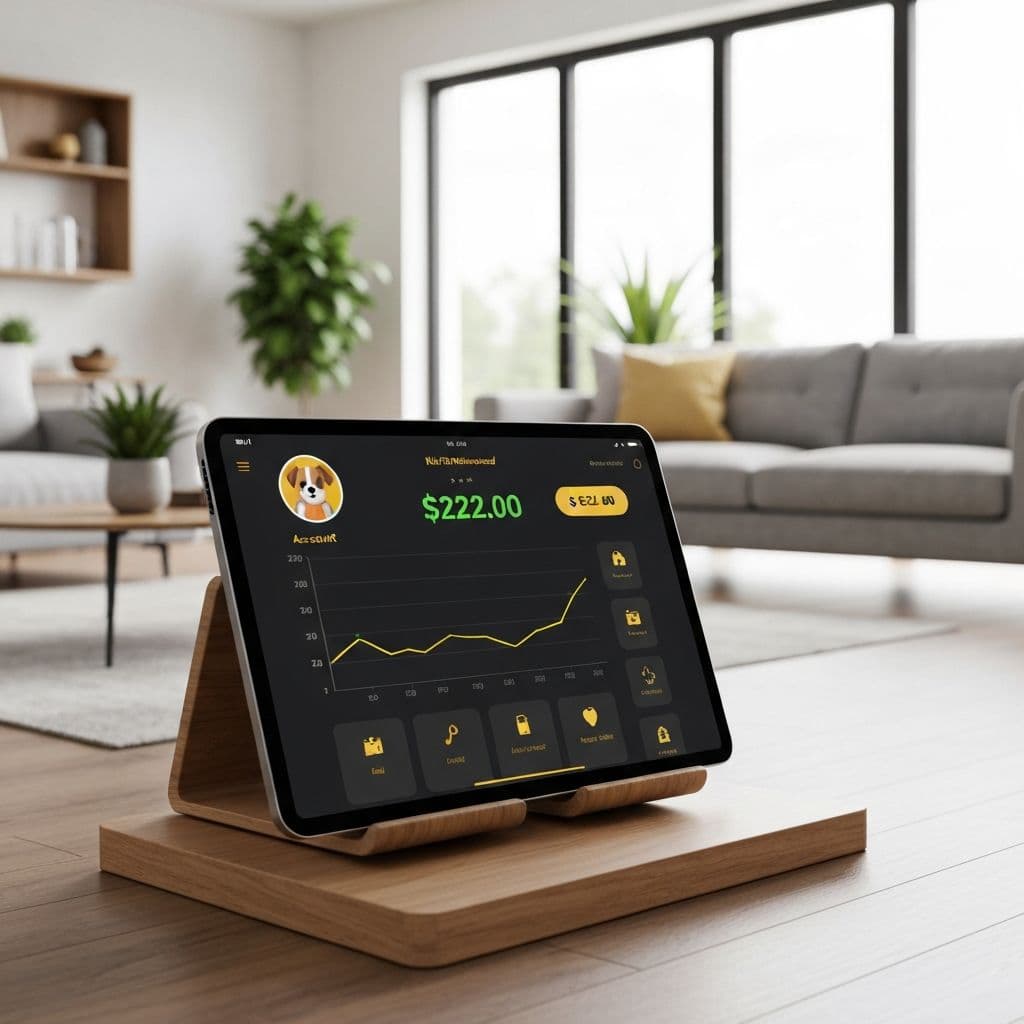
Living Room
Elegant home decor
Photo Screensaver
Display your favorite family moments when idle
Use What You Have
Old iPad, spare phone, Fire Stick, smart TV — no extra hardware to buy
Pair Once, Always On
No login, no app store — your kid's dashboard just lives there
Visibility without touching a dollar
MemoryBank is read-only by design. We connect to your accounts to display — never to trade, move, or touch your money.
Read-Only Access
We can never trade, move money, or modify your accounts. View access only.
Secure Connections
All data is encrypted in transit and at rest using industry-standard protocols.
No Credentials Stored
We use secure OAuth connections. Your login credentials are never stored.
Built on infrastructure you already trust



Connects to 12,000+ financial institutions — so wherever your family's money lives, your kid can see it here.
FAQ
The questions parents ask first
Does MemoryBank have access to my money?
No. We connect to your brokerage accounts using read-only OAuth — we can see balances and positions, but we can never place trades, move money, or modify your accounts in any way. Visibility only, zero ability to touch a dollar.
Which brokerages and banks do you support?
We connect to 12,000+ institutions — Fidelity, Vanguard, E*TRADE, Robinhood, Merrill Edge, Wealthfront, and the rest. UTMA, 529, Roth IRA, brokerage, savings — if your kid has an account there, MemoryBank can show it.
How does my kid sign in?
They don't. Open mymemorybank.app/kids on any phone, tablet, or TV — your kid's screen shows a 6-digit code and a QR. Scan it with your phone the same way you'd pair Netflix or YouTube TV, tap approve, and the dashboard lives on that device permanently. You can also generate a code from your parent dashboard if your kid would rather type it. No login, no password ever — and you can revoke any device with one tap.
Is this safe for kids? What about COPPA?
MemoryBank is COPPA-compliant. Only the parent creates an account; kids never enter personal information directly. Child profiles store only what the parent chooses to enter — first name, emoji, color preference, and optionally birth year (used to personalize age-appropriate AI stories). No full date of birth, address, school, or any other personal data is collected. All data is encrypted at rest with AES-256, sign-in is handled by SOC 2-compliant Clerk, and payments by PCI-compliant Stripe.
Can I try it before paying?
Yes. The Free plan gives you the full dashboard with manually-tracked accounts, live ticker, savings goals, growth projections, and device pairing for one kid. Upgrade to a paid plan when you want live brokerage sync, AI stock stories, and more kids — annual plans save roughly two months.
Have a different question? We reply to everything.
Follow along
Watch us build it, in public
New features, parent tips, kid reactions, and the messy real-time story of building MemoryBank.
Give them a window into what they own.
Every account. Every institution. One dashboard built for the kid who owns it — not just the parent who set it up.
Kids who can see their money grow, understand what companies do, and set their own goals become financially confident adults.
Free to start · No credit card required · Cancel anytime